
AI photo editor with ready-made presets
Turn any photo into a funny AI image.
Pick a preset, upload your photo, and get a cartoon, crayon, doodle, or MS Paint version of it in one click. No blank prompt box, no prompt engineering, no signup to browse.
- 4 ready-made photo to cartoon presets
- Edit results in WigglyPaint
Swipe or scroll through the four AI photo styles. Tap any card to open that template, upload a photo, and generate.
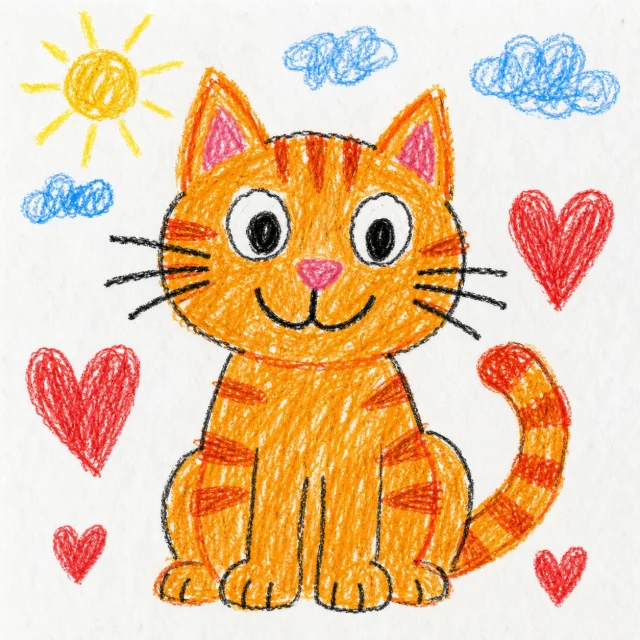
Crayon Kid
Like a 5-year-old drew it during math class.
- Selfies
- Pets
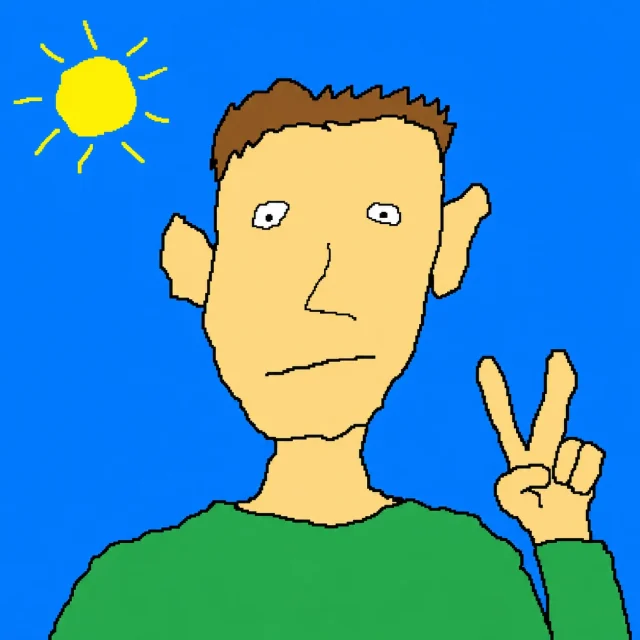
MS Paint Disaster
Like it was drawn with a mouse and zero confidence.
- Memes
- Profile pictures
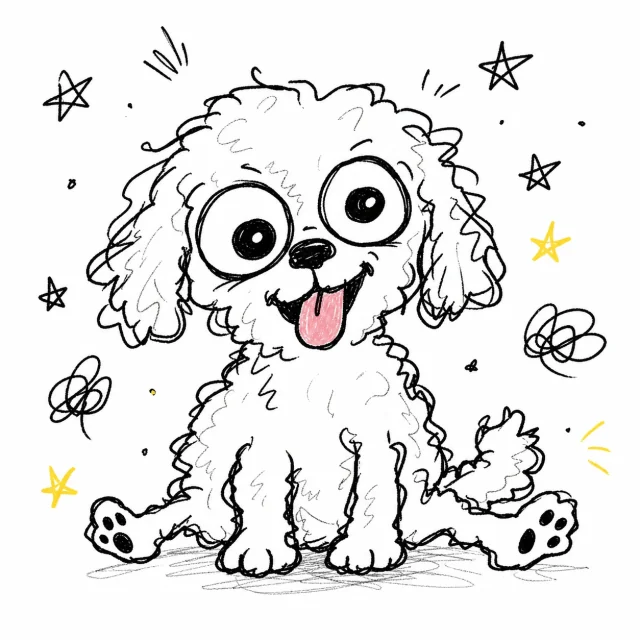
Cursed Doodle
Like someone remembered your face incorrectly.
- Memes
- Funny portraits
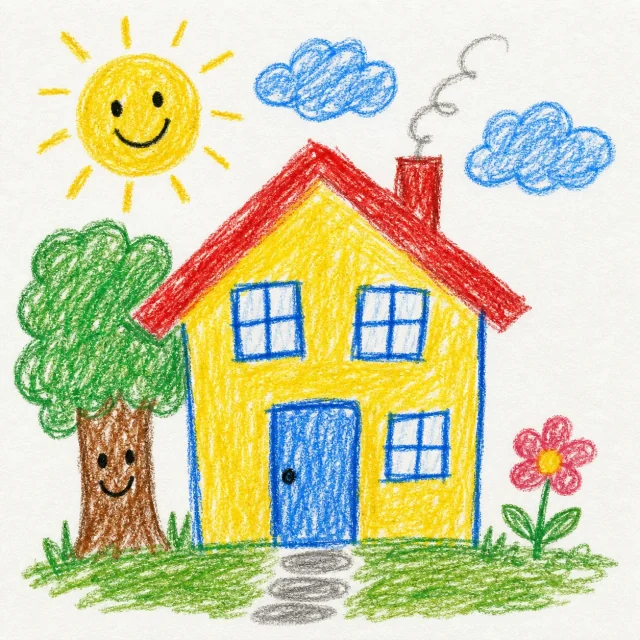
Fridge Masterpiece
So bad your mom would still put it on the fridge.
- Pets
- Couples
WigglyPaint AI Paint is built for casual creators who want a funny, shareable image right now — not a polished render. Here are the most popular use cases.
-
Memes & reaction images
Turn any photo into a cursed doodle or wonky MS Paint version. Perfect for group chats, replies, and viral posts.
Try this preset -
Avatars & OC characters
Convert a selfie or character art into a crayon-kid drawing for profile pictures, Discord avatars, and forum signatures.
Try this preset -
Pet & family portraits
Drop in a pet photo or family snapshot and get a wholesome "fridge masterpiece" version a child might have drawn.
Try this preset -
Profile pictures & banners
Make low-effort, on-purpose-bad profile pics in MS Paint style. Charmingly awkward beats AI-perfect every time.
Try this preset
- UploadAdd a selfie, pet photo, character, logo, or object image.
- Pick a presetChoose an AI image template with a real before/after preview.
- GenerateGet one stylized AI image for one credit, in about 30 seconds.
- Edit or shareOpen the result in WigglyPaint to draw on top, or download it for social.
Buy credits when you are ready to generate. 1 credit = 1 AI image. Bigger packs include more credits.
- 10 credits$3.99
- 30 credits$9.99
- Best value 80 credits$19.99
Pay only for what you generate. Credits never expire.
- No prompt writing Templates already include a tuned prompt. You upload, we generate.
- Fast generation Most AI images return in about 30 seconds. No queue games.
- Pay as you go No subscription. Buy a small credit pack and only spend when you generate.
- Edit in WigglyPaint Open any AI result inside our free drawing tool and keep doodling.
What is WigglyPaint AI Paint?
AI Paint is an AI image generator and AI photo editor for playful image to image transformations. Pick a template, upload a photo, and generate a cartoon, doodle, crayon, or MS Paint style image without writing a prompt.
Does AI Paint use gpt image 2?
The AI generation flow is designed around gpt image 2 style image editing: your uploaded image stays the starting point, and the selected template guides the final AI image style.
Which photo to image styles are available?
The current templates cover photo to crayon drawing, photo to MS Paint drawing, photo to cursed doodle, and photo to fridge art. Each preset is tuned for funny portraits, pets, avatars, memes, and casual social images.
How many credits does an AI image cost?
Each generated AI image costs 1 credit. Credit packs start at 10 credits for $3.99, with larger packs available. There is no free credit balance, so you buy credits when you are ready to generate.
Do I need an account to use AI Paint?
You can browse every template and preview real outputs without an account. You only need to sign in when you buy credits or save a generation, so it is easy to try the experience first.
Can I edit the AI image after generating it?
Yes — every AI Paint result opens in the free WigglyPaint drawing tool. You can draw on top with wiggly animated brushes, crop, add text, then export as PNG or animated GIF.
Stop typing prompts. Start generating playful AI images.
Pick a preset, upload one photo, and see what AI Paint does with it. You can browse the whole catalog without an account.